AI in reviews
How to use AI to write performance reviews: 10 prompts, risks and bias checks
Ten copy-paste prompts for drafting performance reviews with AI, the inputs each one needs, what never to paste into a chatbot, and the bias and hallucination checks to run before you submit.
By the CLEAR Talent team10 min read
Key takeaways
- AI is a drafting aid, not a rater. Give it evidence and ask for wording; keep the rating and the final text yours.
- Never paste names, health information or anything that identifies a colleague into a tool your organisation has not approved.
- A good prompt supplies the goals, the evidence and the rating standard. Without them, the model fills the gaps with plausible fiction.
- Check every draft for invented facts and biased language before it goes anywhere near the employee.
Many managers already use AI to draft performance reviews, whether or not HR has a policy on it. A general-purpose assistant such as ChatGPT, Copilot or Gemini turns a few bullet points into fluent paragraphs in seconds, which is hard to resist with eight reviews due on Friday. The catch is that fluent is not the same as accurate or fair, and what you paste in matters as much as what comes out.
This guide shows how to use AI to write performance reviews without handing it the judgement. It gives ten copy-paste prompts and the inputs each one needs, sets out what should never go into a chatbot, lists the bias and hallucination checks to run on every draft, and works through a before-and-after example. It is general information, not legal advice.
Why managers use AI to write performance reviews
The slowest part of a review is the blank page. A manager with a full team may owe several thousand words of considered writing in the same fortnight as their own deadlines, and few were ever taught how to write one. AI removes the blank page: it structures notes, finds a neutral way to phrase a hard message and turns fragments into sentences.
What AI cannot supply is the evidence or the judgement. A language model knows nothing about your employee beyond what you type, and it is built to produce plausible text, so a thin prompt returns confident, generic praise that could describe anyone. Used well, it is a drafting assistant working from your evidence. Used badly, it is a way to produce a review nobody actually wrote.
10 copy-paste AI prompts for performance reviews
Each prompt works in ChatGPT or any similar assistant. Replace the square brackets with your own material, and anonymise it first: write “the employee” instead of a name and leave out anything the next section tells you not to share.
Prompt library
Ten copy-paste prompts for performance reviews
| Use it to | What to supply | Prompt to copy |
|---|---|---|
| Draft from evidence | ||
| Summarise the evidence | Anonymised check-in notes, goal results and feedback for the period. | “Summarise these notes into the three strongest contributions and the two clearest development areas. Use only what is in the notes and quote the evidence for each point: [notes].” |
| Draft the goal section | Each goal, its success measure and the actual result. | “For each goal below, write two sentences: what was delivered against the measure, and what explains the result. Do not add achievements I have not listed: [goals and results].” |
| Write a competency comment | The competency definition, the rating level descriptor and two or three observed examples. | “Using this competency definition and these examples, draft a comment of about 80 words that describes the behaviour and its impact, not personality: [definition], [examples].” |
| Turn rough notes into feedback | Your own blunt notes on one situation. | “Rewrite these notes as feedback in situation, behaviour, impact form. Keep it specific and direct, and remove judgemental adjectives: [notes].” |
| Improve a draft | ||
| Make vague praise specific | Your draft paragraph and the facts behind it. | “This paragraph is too general. List the claims that have no example, then ask me one question for each so I can supply the evidence: [draft].” |
| Word a difficult message | The gap, the expected standard and the support on offer. | “Draft a paragraph explaining that this standard was not met. State the gap factually, give the example, and end with the support available. No softening that hides the message: [details].” |
| Edit for length and clarity | Your finished draft. | “Edit this review for clarity. Cut it by a third, keep every fact and example, and do not change the meaning or the tone: [draft].” |
| Check and prepare | ||
| Check your draft for bias | Your draft, with the name and pronouns removed. | “Review this draft for language that describes personality instead of behaviour, claims without evidence, and wording that might be applied differently to different groups. List each instance and suggest a neutral alternative: [draft].” |
| Test the rating against the evidence | The rating scale definitions and your evidence summary. | “Here is our rating scale and my evidence. Do not choose a rating. Tell me what evidence I would need to justify the level above and the level below the one I am considering: [scale], [evidence], [proposed level].” |
| Prepare the conversation | The final review text and the two messages that matter most. | “From this review, give me a five-point agenda for the review meeting, three open questions to ask, and the reactions I should be ready for: [review].” |
No prompt here asks the model to choose a rating. That judgement stays with the manager.
Guide: 40 self-evaluation examples and review phrases to adapt
What not to paste into an AI tool: personal data and GDPR
A performance review is personal data about an identifiable person. Typing it into a chatbot shares it with that tool’s provider, and under GDPR your organisation needs a lawful basis for it and, normally, a data processing agreement with the provider. Whether a provider keeps your input or uses it to train models depends on the product, plan and settings, so do not assume.
- Names and identifiers
- Leave out names, initials, employee numbers, email addresses and job titles held by one person. A role and a team can identify someone as surely as a name.
- Health, leave and family circumstances
- Health information is special category data under GDPR, with stricter rules, and absence, pregnancy or family details are just as sensitive in practice. They rarely belong in a review, and never in a prompt.
- Other people’s words
- Verbatim 360 comments, complaints and peer feedback are personal data about the writer as well as the subject, and were often given in confidence. Summarise the theme yourself.
- Pay, disciplinary and grievance details
- Salary, bonus, warnings and open investigations stay in the systems built to hold them.
- Commercially confidential material
- Customer names, unreleased figures and project code names identify the employee and expose the business.
The safe pattern is to check which AI tools your organisation has approved for employee data, anonymise before you paste, and add the names back in your own document. One more rule: GDPR restricts decisions based solely on automated processing that significantly affect people, so a person, not the model, must make the rating decision and own the final text.
The EU AI Act also treats AI used to evaluate workers’ performance as high-risk, which is one more reason to keep AI on drafting and people on decisions.
Bias and hallucination checks to run on every AI draft
AI drafts fail in two ways. They hallucinate: the model states things you never told it, because complete-sounding text is what it is built to produce. And they carry bias: models learn from human writing, so the same behaviour can come back as “confident” for one person and “abrasive” for another.
Checklist
Before an AI-assisted review leaves your desk
Hallucination checks
- Trace every fact, figure and date in the draft back to your own notes. Delete anything you cannot trace.
- Look for invented specifics: project names, percentages, quotes and praise from colleagues you did not supply.
- Check that the draft has not upgraded the evidence: “contributed to” becoming “led” is a common drift.
- Confirm the text supports the rating you chose, not the one the prose happens to imply.
Bias checks
- Replace personality words such as “natural leader”, “bubbly” or “difficult” with the behaviour and its outcome.
- Ask whether you would use the same words for anyone in the role with the same results.
- Check the evidence spans the whole period. AI summarises what you paste, so recent notes in means recency bias out.
- Compare your drafts side by side: similar performance should not read warmer for some people than others.
Ownership checks
- Rewrite the draft in your own voice. The employee should recognise their manager, not a template.
- Be ready to say that AI helped with the wording, and follow your organisation’s policy on disclosing it.
If you could not explain a sentence to the employee with evidence, it does not belong in the review, whoever wrote it.
A worked example: the same review, before and after
A hypothetical manager is reviewing a customer support team lead. The details are invented for illustration.
- Before: the prompt
- “Write a performance review for Alex, my support team lead. Alex had a good year and is great with customers.”
- Before: what came back
- “Alex is an exceptional leader who consistently exceeds expectations, improved customer satisfaction by 25% and is admired by the whole team.” Fluent, flattering and unusable: the figure and the admiration were invented, and a real name went into the tool.
- After: the prompt
- “Draft a 120-word review summary for a support team lead, referred to as ‘the employee’. Use only this evidence. Goal: cut first-response time to under four hours; result: met from March onwards. Coached two new starters through probation. Missed the handover-notes deadline twice in the autumn. Rating standard: ‘fully meets’ means goals delivered with minor gaps. Describe behaviour and impact, and include the development area.”
- After: what came back
- “The employee met the first-response goal, holding response time under four hours from March onwards. They coached two new starters through probation, which kept the team at full strength. Handover notes were late twice in the autumn; agreeing a fixed handover time is the development priority for the next period.”
Even the better draft needed an edit. “Which kept the team at full strength” was the model’s embellishment, not the manager’s evidence, so it came out; the manager then restored the name, added the rating and rewrote the last sentence in their own words.
How Ava drafts review summaries from evidence in CLEAR Talent
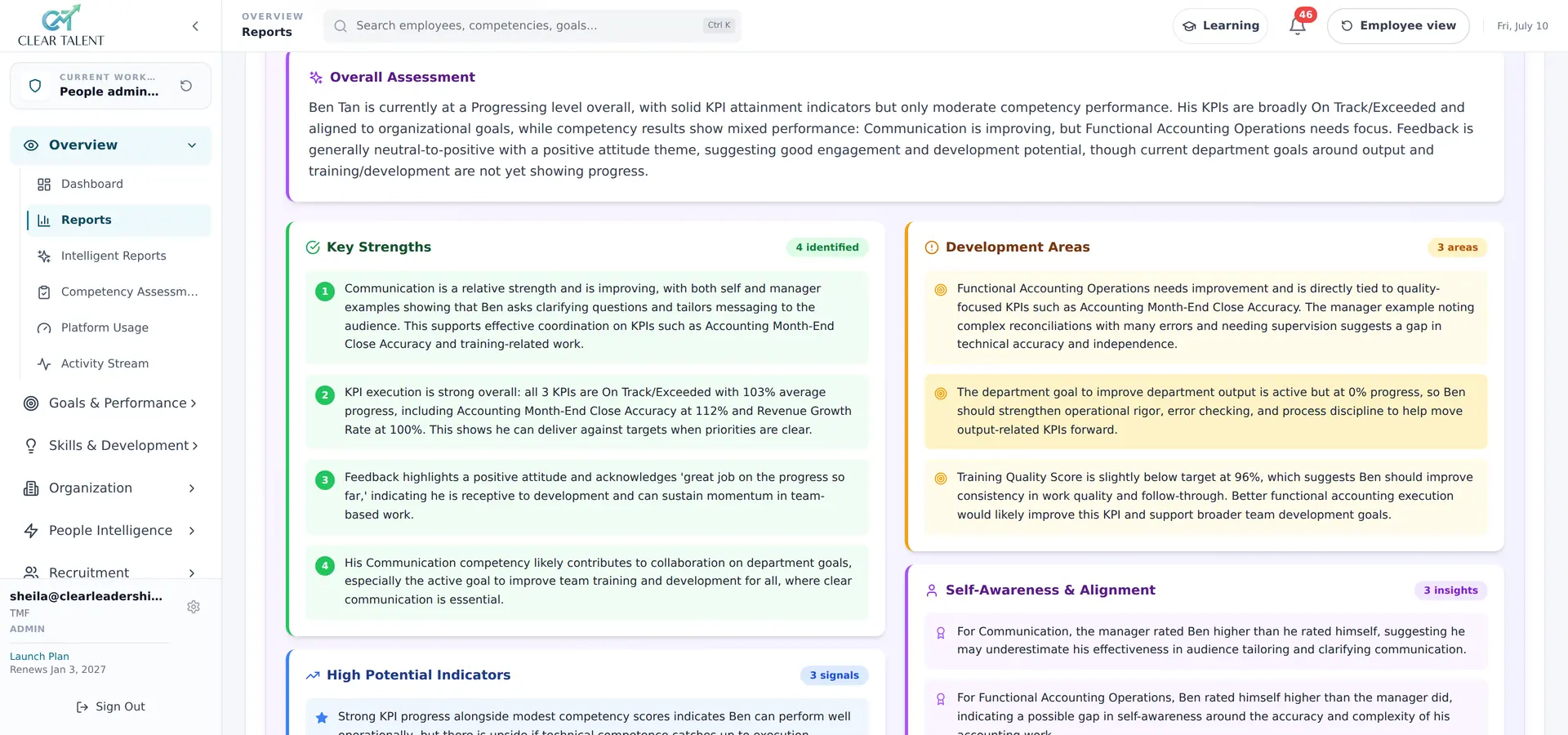
Most of the risk above comes from moving employee data out of the system that holds it and into a general-purpose tool. Ava, the AI assistant built into CLEAR Talent, works the other way round. She reads the goal scores, competency ratings, 360° feedback and check-in notes already recorded for an employee and assembles them into a first-draft review narrative, so the manager has nothing to copy into another tool.
Several of the guardrails in this article are part of how Ava works. Every output is labelled, editable and auditable; managers accept, amend or reject it, and every edit is logged. Ava never makes the final rating. She flags rating patterns that may indicate gender, recency or leniency bias and prompts the manager before submission. Ava runs on isolated tenants, your employees’ data is never used to train models for other customers, and AI can be switched off per cycle, team or module.
A draft is still a draft. The checks above apply to Ava’s output as much as to any other, and the manager writes and owns the review.
See AI performance management software: how Ava drafts reviews from evidence